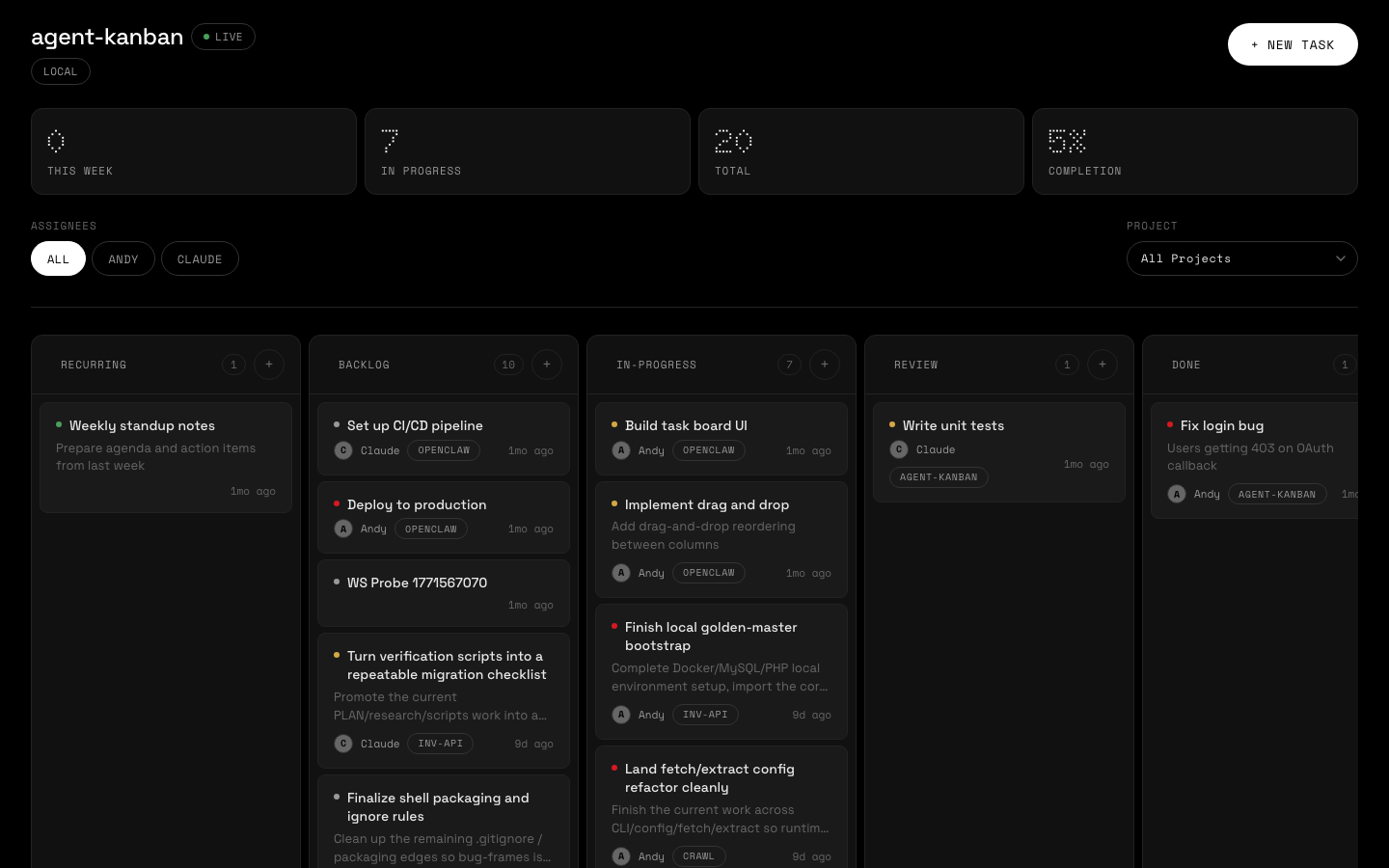
Web dashboard — real-time board with WebSocket updates
CLI-first task management built for automation. Agents get deterministic JSON output. Humans get a web dashboard. Works with local boards, Linear, and Jira.
Web dashboard — real-time board with WebSocket updates
Capabilities
Every command returns a structured JSON envelope. Deterministic, parseable, scriptable. Pass --pretty for human-readable output.
Interactive kanban board with WebSocket push updates. Search tasks and filter by assignee, project, or recent activity. Works on desktop and mobile.
Run locally with SQLite for zero-config setup, or connect to Linear for team-scale issue tracking with the same CLI interface.
Add, move, assign, prioritize, and bulk-operate on tasks. Full CRUD with column management, activity logging, and metrics.
Structured error codes, consistent exit codes, and JSON envelopes make it trivial for AI agents to create, update, and track work.
Ship as a single container. Mount a volume for SQLite persistence or pass Linear credentials as env vars. Deploy anywhere.
Interface
# Initialize a board
$ kanban board init
{ "ok": true, "data": { "columns": ["recurring","backlog","in-progress","review","done"] } }

# Add a task with priority and assignee
$ kanban task add "Set up CI pipeline" -p high -a alice
{ "ok": true, "data": { "id": "t_k7x2m", "title": "Set up CI pipeline", "priority": "high" } }

# Move tasks through the board
$ kanban task move t_k7x2m in-progress
{ "ok": true, "data": { "id": "t_k7x2m", "column": "in-progress" } }

# View the board (human-friendly)
$ kanban board view --pretty

  BACKLOG (1)          IN-PROGRESS (1)      REVIEW (0)           DONE (0)
  ─────────────        ─────────────────    ──────────           ────────
  Write tests          Set up CI pipeline
  medium               high · alice


# Start the web dashboard
$ kanban serve
Server running at http://localhost:3000
Providers
Default
Zero-config, file-based storage with WAL mode. Everything runs locally.
Team scale
Connect a Linear team or Jira project. Use the same CLI with a synchronized local cache.
Responsive
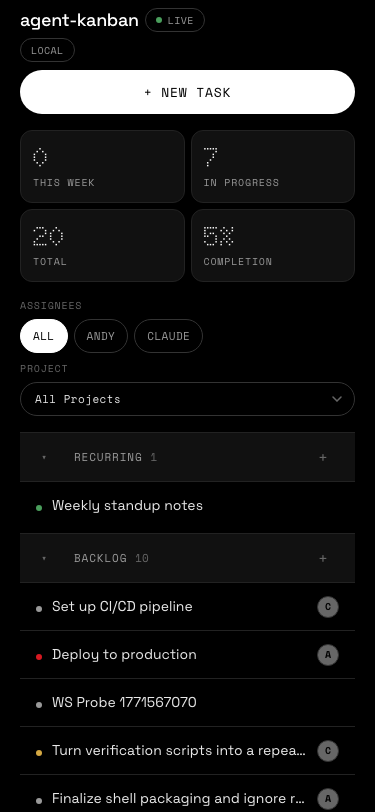
The web dashboard adapts to any screen. Collapsible grouped lists replace the kanban grid on smaller viewports.
Install globally with Bun and start managing tasks in seconds.